Capital.com: below-minimum and full-balance withdrawals
Capital.com says to withdraw your full balance if it is below the minimum for your payment method.
Withdrawal and deposit minima differ
Fees gives card withdrawals from USD/EUR/GBP 20 versus deposits from ten. Bahamas help lists Google Pay at EUR 20 but GBP/USD 50. Twenty is not universal across methods and currencies.
Sources for this section
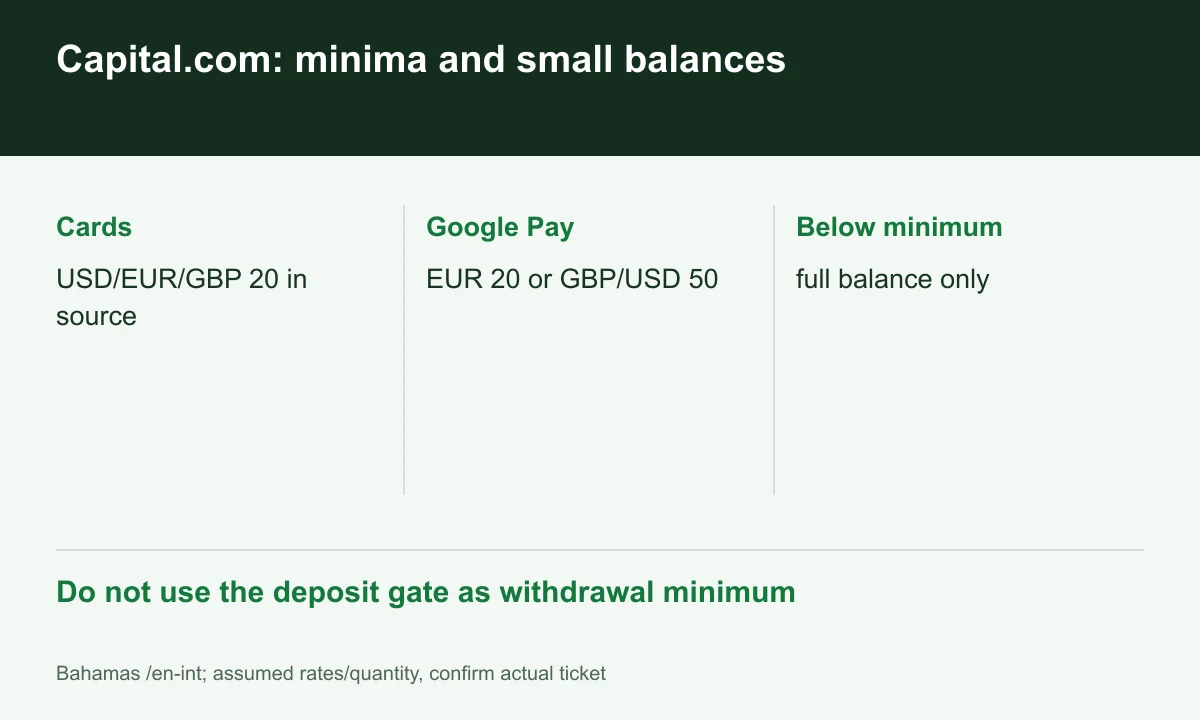
Diagram explained
Do not use the deposit gate as withdrawal minimum
- Cards: USD/EUR/GBP 20 in source
- Google Pay: EUR 20 or GBP/USD 50
- Below minimum: full balance only
Hypothetical example with a USD 15 balance
Suppose you have USD 15 available to withdraw and the card withdrawal minimum is USD 20. Check your account for the option to withdraw the full USD 15 to your card.
Sources for this section
A country table is not approval
The Help table’s Countries column and all-countries wording do not override onboarding/entity restrictions. Bahamas documents and the issued portal determine actual availability.
Sources for this section
Check which methods appear in your account. Availability in Vietnam requires separate confirmation.
Sources for this section
Before submitting
In the Capital.com app, go to Account → Payments → Withdraw to see your limits and available withdrawal methods. Capital.com returns deposited funds to the original payment method. Contact Capital.com support if the method you want to use is missing.
Sources for this section
Check available equity with open trades, currency and conversion. Do not add funding merely to reach a withdrawal gate when a full-balance exception may apply; confirm the option in the portal.
Sources for this section
Official capital-com source Official capital-com source Official capital-com source
Explore trading-fee rebates with Capital.com
A rebate may reduce some eligible costs. The amount depends on your account and program.
Check terms and partner details
Confirm the rate, eligible fees and payment timing before registering. Need help? contact@finexbroker.com
Your next step
Sources and scope
Sources are provider publications. Conditions may vary by entity, country, account and program. Recheck before signing up.